

Ad-free videos, background play, offline downloads and YouTube Music are some of the benefits of a YouTube Premium subscription. However, getting the payment to go through can be a challenge for many Nigerians. If you’ve tried setting up YouTube Premium Nigeria payments only to have your card declined, you’re not alone.
Many Nigerian users experience difficulties paying for international subscriptions because of restrictions on local bank cards and recurring online transactions. Fortunately, there are several ways to complete your subscription without unnecessary payment struggles.
This guide explains the available YouTube subscription options in Nigeria, the payment methods you can use, how to subscribe step by step, and what to do when a payment fails.
Quick Answer: How to Pay for YouTube Premium Nigeria
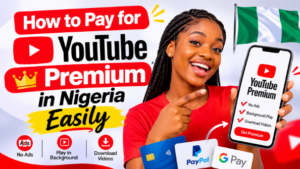
You can pay for YouTube Premium in Nigeria using a debit or credit card enabled for international and recurring payments. Other options include virtual dollar cards, Google Play billing on Android and Apple billing on iPhone.
Naira cards are sometimes declined because of international transaction restrictions, making virtual dollar cards a useful alternative.
Here’s what you should know:
- Billing: YouTube Premium is reportedly billed in naira in Nigeria, although prices can change.
- Available payment methods: Naira cards, virtual dollar cards, Google Play and Apple billing.
- Ways to save: Consider the Family plan or Student plan if eligible.
- What to avoid: VPN workarounds and suspicious discounted Premium offers.
- Manage your subscription: Visit youtube.com/paid_memberships.
YouTube Premium Nigeria: Plans and Prices
YouTube Premium offers several features designed to improve your viewing experience. Subscribers can watch videos without advertisements, play videos in the background, download content for offline viewing and access YouTube Music Premium.
The subscription plans typically available include:
- Individual Plan: Designed for one person who wants access to YouTube Premium features.
- Family Plan: Allows eligible members of the same household to share one subscription.
- Student Plan: Offers discounted access to eligible students who meet YouTube’s verification requirements.
Recent guides report that YouTube Premium is billed in naira in Nigeria, with the Individual plan costing approximately ₦1,700 monthly and the Family plan around ₦2,800 monthly.
However, these prices are subject to change. Always check the official YouTube Premium page to confirm the current subscription cost before paying.
You should also note that accepted payment methods vary by country. In some locations, YouTube requires a payment method issued within that country. You can find more information in Google’s official guide to accepted payment methods for YouTube Premium.
Why Paying for YouTube Premium in Nigeria Can Be Difficult
One of the biggest challenges with YouTube Premium Nigeria payments is the restrictions Nigerian banks place on international transactions.
Although some naira debit and credit cards support online payments, they may not work for international subscriptions. This is because recurring payments are sometimes processed differently from regular online transactions.
For example, your card might work perfectly when shopping online but fail when you attempt to pay for a monthly subscription.
Some virtual dollar cards issued by Nigerian providers may also experience payment restrictions, particularly when they are linked to naira accounts.
This explains why a payment method that works for one person might fail for another. Rather than repeatedly attempting the same transaction, it’s better to explore other supported payment options.
Payment Methods You Can Use for YouTube Premium Nigeria
There are several payment methods Nigerian users can explore when subscribing to YouTube Premium. The best option depends on your bank, device and available budget.
| Payment method | How it works | What to consider |
|---|---|---|
| Naira debit or credit card | Add your card during checkout and complete the payment in naira where supported. | Your bank must allow international and recurring transactions. |
| Virtual dollar card | Fund your card with naira and use its dollar balance for payment. | Check provider fees, exchange rates and renewal requirements. |
| Google Play billing | Subscribe through the YouTube app on Android using your Google Play payment method. | You need an accepted payment method or available balance. |
| Apple billing | Subscribe through the YouTube app on iPhone using your Apple account. | Prices may differ from subscribing through the website. |
| Gift card or code | Redeem an eligible YouTube gift card or code. | Confirm that the card is valid for your country before purchasing. |
| Family plan | Join an eligible household subscription managed by another person. | All members must meet YouTube’s household requirements. |
If you’re considering gift cards or codes, you can explore platforms such as Nexar’s gift cards page for available streaming and subscription gift cards.
Always confirm that a specific gift card is supported in your region before making a purchase.
How to Pay for YouTube Premium Nigeria: Step-by-Step Guide
Once you’ve selected a suitable payment method, subscribing is relatively straightforward.
Follow these steps:
Step 1: Sign In to Your Google Account
Open the YouTube app or visit YouTube.com. Sign in using the Google account you want to associate with your Premium membership.
Step 2: Open the YouTube Premium Page
Tap your profile picture and select Get YouTube Premium. Alternatively, visit youtube.com/premium directly.
Step 3: Choose Your Preferred Plan
Select the Individual, Family or Student plan, depending on your needs and eligibility.
Review the subscription price displayed in your local currency before proceeding.
Step 4: Select a Payment Method
Choose an existing payment method or add a new card.
Android users may be billed through Google Play, while iPhone users may complete their subscriptions through Apple billing.
Step 5: Confirm Your Payment
Follow the payment instructions and approve any additional verification request from your bank, such as an OTP or banking app notification.
Step 6: Check Your Subscription
After completing the transaction, visit youtube.com/paid_memberships to confirm your membership.
You can also check your next billing date, manage your payment method and add a backup card.
Paying for YouTube Premium With a Virtual Dollar Card
If your naira debit card keeps getting declined, a virtual dollar card may be another option worth considering.
A virtual dollar card is a digital payment card that allows you to make transactions in foreign currencies. You typically fund it using naira, while the card processes payments in dollars.
Here’s how to use one:
- Choose a reliable provider: Look for a provider with transparent fees, good customer support and clear payment terms.
- Fund your wallet: Add money using a supported payment method. Consider exchange rate differences and additional charges.
- Create your virtual card: Generate a virtual dollar card and note its details.
- Add the card to YouTube: Enter your card information when selecting a payment method. Ensure your billing details match your card profile.
- Maintain sufficient balance: YouTube Premium subscriptions renew automatically, so ensure your card has enough funds before the next billing date.
Remember that not every virtual dollar card is guaranteed to work. Check your provider’s restrictions and supported transaction types before funding your account.
Common Reasons Your YouTube Premium Payment Fails
Even after choosing a payment method, you might encounter problems during checkout.
Here are some common reasons payments fail and what you can do about them.
| Why your payment fails | How to fix it |
|---|---|
| Your naira card doesn’t support international or recurring payments. | Contact your bank to enable international online transactions or try another supported payment method. |
| Your card has insufficient funds. | Add enough money to cover the subscription price, fees and exchange rate differences. |
| Your bank flags the transaction. | Approve the transaction through your banking app or contact your bank. |
| Your billing address or card details are incorrect. | Review your payment information and correct any errors. |
| Your card has expired or has insufficient funds during renewal. | Update your payment details and add a backup payment method. |
| Your payment method isn’t supported in Nigeria. | Switch to a payment method accepted for your country. |
If you’re still having trouble, check your Google payment settings and contact your bank or payment provider for assistance.
Smart Ways to Save Money and Stay Safe
A YouTube Premium subscription doesn’t have to become another unnecessary expense. Here are a few ways to manage your subscription wisely.
1. Consider the Family Plan
If you live with other eligible household members who also use YouTube Premium, the Family plan may help reduce the cost per person.
One person manages the subscription and invites other eligible members.
2. Check Your Eligibility for the Student Plan
Students who meet YouTube’s requirements may qualify for discounted subscriptions. You might need to verify your student status through YouTube’s verification process.
3. Make Use of Free Trials
If you’re eligible for a free trial, you can explore YouTube Premium features before committing to a paid subscription.
Set a reminder before the trial ends if you don’t intend to continue paying.
4. Avoid VPN Workarounds
Using a VPN to subscribe through another country’s pricing may violate YouTube’s terms and could result in your membership being cancelled.
Subscribe using the appropriate country and an accepted payment method.
5. Be Careful With Cheap Premium Offers
Avoid accepting suspicious invitations from strangers on social media who promise extremely cheap Premium subscriptions.
Some offers may be scams, while others may put your Google account at risk.
6. Never Share Your Google Password
Only complete payments through trusted platforms such as YouTube, Google Play or Apple. Never give your account password or verification codes to someone claiming they can activate your subscription.
Frequently Asked Questions
How much is YouTube Premium in Nigeria?
Recent guides report that the Individual plan costs approximately ₦1,700 monthly, while the Family plan costs around ₦2,800. However, prices can change, so check the official YouTube Premium page for the latest rates.
Can I use a naira card to pay for YouTube Premium?
Yes, if your bank allows the required online, international and recurring transactions. However, some Nigerian naira cards are declined because of banking restrictions. You can contact your bank or explore other supported payment methods.
Is the YouTube Premium Nigeria Family plan worth it?
It can be a good option if you have eligible household members who want to share a subscription. Splitting the cost can make the plan more affordable for everyone, although the subscription manager remains responsible for billing.
Can I pay through Google Play or Apple?
Yes. Android users can subscribe through Google Play billing, while iPhone users can pay through Apple billing using an accepted payment method associated with their accounts.
Do I need a VPN to subscribe to YouTube Premium in Nigeria?
No. You can subscribe from Nigeria using an accepted local payment method. Using a VPN to access another country’s subscription pricing may violate YouTube’s terms.
How do I cancel my YouTube Premium subscription?
Visit youtube.com/paid_memberships, select Manage membership and follow the instructions to cancel your subscription. Make sure you cancel before your next billing date if you don’t want another charge.
Why does YouTube keep declining my payment?
Your card may not support recurring international payments, your balance may be insufficient, or your bank may have flagged the transaction. Check your payment details, contact your bank or try another supported payment method.
Final Thoughts
Paying for YouTube Premium in Nigeria becomes easier when you understand the available payment methods and choose one that works with your bank and device.
If your naira card isn’t working, consider a virtual dollar card, Google Play billing or Apple billing, depending on the options available to you.
Before subscribing, always confirm the current prices, review the payment requirements and keep a backup payment method for future renewals.
For more practical guides on online payments, subscriptions and digital services, explore the Nexar blog.


