One of the biggest advantages of using a virtual number today is that you’re not limited to your local network. When you want to set up a new Twitter account (now known as X), you’re free to choose a number from any country you prefer. A virtual number for Twitter gives you that flexibility. You can pick a US number, a UK number, or any region that fits your needs and use it instantly for verification.
This is helpful for creators, businesses, freelancers, and agencies that manage accounts across different markets. It also helps if you don’t want to link your personal number to every account you create. With a Twitter virtual number, you get privacy, freedom, and a clean setup without switching SIM cards or worrying about network restrictions.
Nexar makes this process simple. You choose the country you want, buy your number, and your verification code appears inside your dashboard in seconds.
What Is a Virtual Number for Twitter Account Setup?
A virtual number for Twitter is an online phone number that works like a regular number but without a physical SIM card. It can receive SMS codes from Twitter or X, and it all happens digitally.
People use it when they want privacy, when they manage multiple accounts, or when they want the flexibility of using a number outside their country. With Nexar, you get verified global numbers that work smoothly with Twitter’s system.
Why You Should Use a Virtual Number for Twitter Setup?
A virtual number gives you control and flexibility. Here’s why many people choose it.
1. You Can Choose Any Country
This is the biggest advantage. You’re not restricted to the number on your SIM. If you want a US number for your brand or a UK number for your clients abroad, you can get it instantly. A virtual number for Twitter gives you the freedom to pick what suits your goals.
2. You Keep Your Personal Number Private
Your personal number shouldn’t be tied to every Twitter account you create. A Twitter virtual number helps protect your identity and keeps your real line free from spam or unnecessary exposure.
3. You’re Able to Manage Multiple Accounts Easily
If you run accounts for clients or brands, using one personal number becomes messy. With a virtual number, each account stays separate, clean, and secure.
4. Fast and Smooth Verification
Your code arrives instantly inside your Nexar dashboard. You can create your account and move on with your work without delay.
5. Works Anywhere You Are
You can be in Lagos with a US number or in Accra with a UK number. Your virtual number for Twitter will still work, even if your local SIM doesn’t receive international SMS.
How to Create X Account with Nexar Virtual Number
Here’s how to create X account with virtual number using Nexar:
Step 1: Visit the Nexar Website
Open your browser and go to Nexarhq.com.
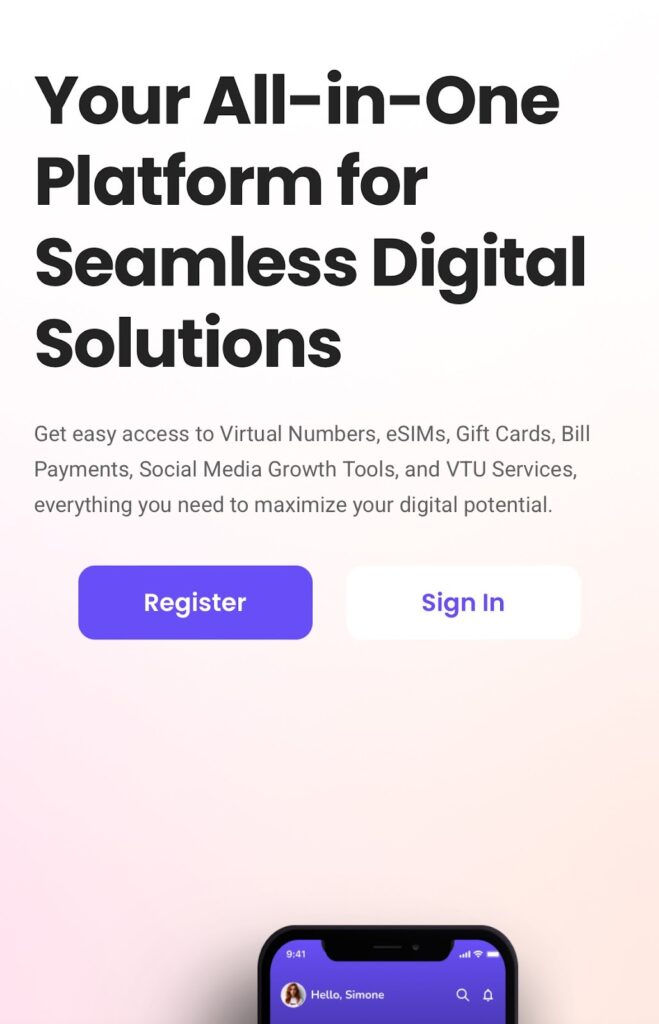
Step 2: Sign Up or Log In
Create an account or login using your email and password.
Step 3: Choose Virtual Number
On your dashboard, select the Virtual Number option.
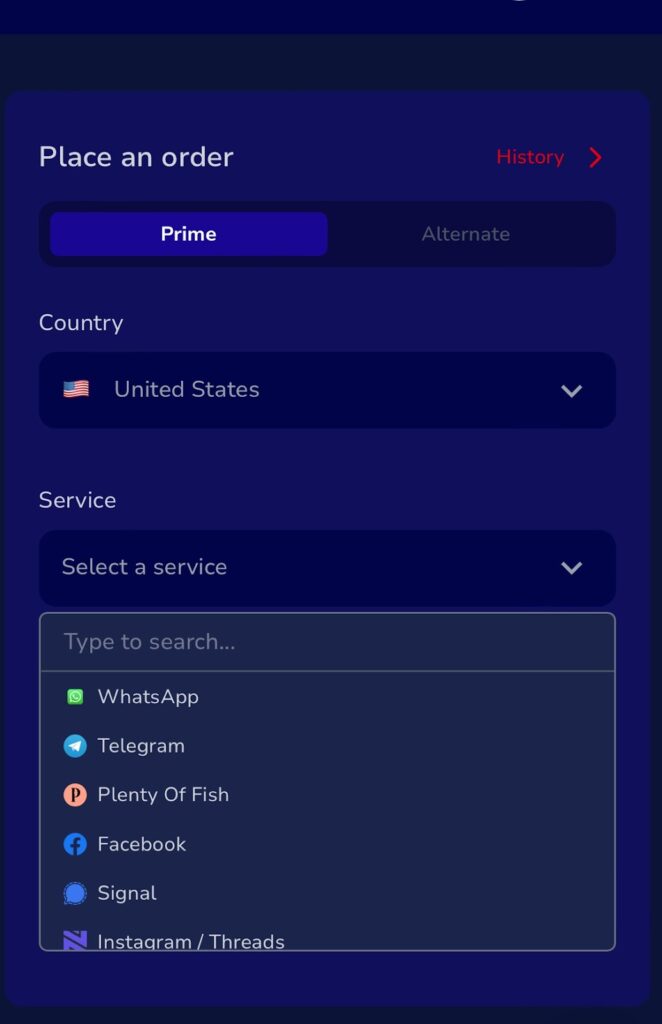
Step 4: Select “Twitter/X”
Choose the Twitter/X virtual number option to avoid errors during setup.
Step 5: Make Your Payment
Pay with your card, crypto, or Nexar Wallet. Your number activates instantly.
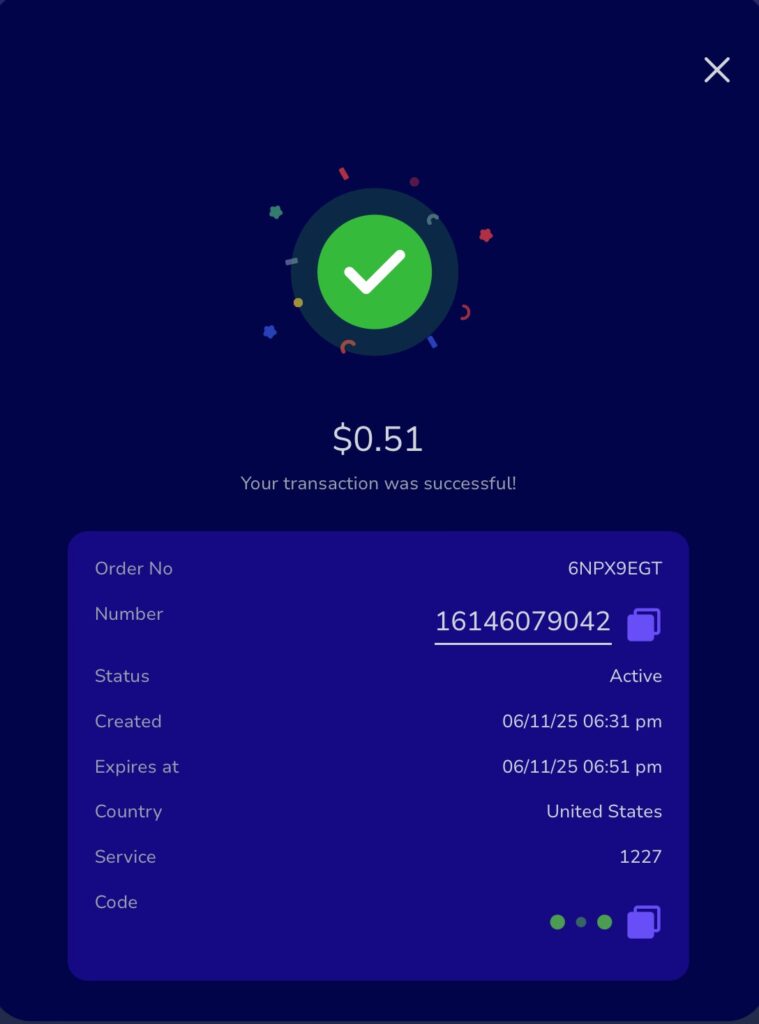
Step 6: Enter the Number on Twitter
When Twitter requests your phone number, type in your Nexar virtual number. Your verification code will appear inside your dashboard within seconds.
Step 7: Complete the Verification
Copy the code and paste it into Twitter. Your account is ready.
Common Mistakes to Avoid When Using a Virtual Number for Twitter
- Use one number per account to avoid verification issues.
- Check your inbox immediately after requesting a code.
- Avoid free public numbers because they’re usually blocked.
- Keep your internet stable during verification.
FAQs About Virtual Number for Twitter
Q1: Can I use one virtual number for multiple Twitter accounts
No. Use one number per account for safe verification.
Q2: Is Nexar safe for Twitter verification
Yes. Nexar provides verified numbers that work smoothly with Twitter.
Q3: Can I reuse my Twitter virtual number later
If it’s still active, you can access old messages whenever you need.
Q4: What else can I verify with my virtual number
WhatsApp Business, TikTok, Gmail, Facebook, Instagram, and more.
Q5: How much does a virtual number for Twitter cost
Nexar offers affordable plans depending on the country and duration you choose.
Final Thoughts
If you want more control over your setup or you prefer using a number from another country, a virtual number for Twitter gives you that freedom. Nexar lets you choose any region, get instant verification, and manage accounts without linking your personal line.
Visit the Nexar website today and get your Twitter virtual number in minutes.