Let’s be real, nothing kills excitement faster than trying to create a YouTube channel and getting stuck on the “Verify your phone number” step. You enter your number, wait for the code, and nothing happens.
If you’re in Nigeria or anywhere in Africa, you probably know this struggle too well. Between network errors, international SMS restrictions, and SIM card limits, verifying a YouTube account can feel impossible.
That’s where a Virtual Number for YouTube Account Creation comes in. With Nexar, you can get a working, verified virtual number that instantly receives Google verification codes, no SIM card drama, no failed attempts, just a smooth setup.
What Is a Virtual Number for YouTube Account Creation?
A Virtual Number for YouTube Account Creation is an online number that helps you verify your YouTube account without needing a physical SIM card. It works just like a regular phone number, it can receive verification codes and texts but everything happens online.
It’s perfect for content creators, business owners, and freelancers who don’t want to deal with SIM restrictions or network issues. Plus, with Nexar, you get access to verified global numbers that actually work with YouTube.
So instead of juggling multiple SIM cards, you can use one secure YouTube virtual number that’s built for verification.
Why You Should Use a Virtual Number for YouTube Account Creation
Here’s the thing; switching to a Virtual Number for YouTube Account Creation isn’t just about convenience; it’s about control, privacy, and scalability. Let’s break it down
1. You Avoid SIM Card Limits
YouTube only lets you verify up to two accounts per SIM card. That’s fine if you’re a casual user, but what if you manage multiple brands or clients?
With Nexar’s Virtual Number for YouTube Account Creation, you can verify as many channels as you need all without switching SIMs or borrowing someone else’s line.
It’s the easiest way for creators, digital marketers, and freelancers to stay organized and scale their work.
2. You Protect Your Privacy
Sharing your personal number online exposes you to spam, unwanted calls, and even phishing attempts.
Using a Virtual Number for YouTube Account Creation keeps your real number private. You can safely manage your YouTube channels without worrying about your data being exposed. It’s especially useful for agencies or influencers who manage multiple accounts but don’t want their personal info tied to each one.
3. You Save Time (and Sanity)
Network errors, delayed SMS messages, and “code not received” frustrations can slow you down. With Nexar’s virtual numbers, you’ll get your YouTube verification code instantly, no waiting, no re-sending. You can create a YouTube account with a virtual number and start uploading videos right away.
4. It Works From Anywhere
Whether you’re in Lagos, Accra, or London, Nexar’s virtual numbers work globally.
So, even if your Nigerian SIM doesn’t receive international messages, your Virtual Number for YouTube Account Creation will. That’s a game-changer for digital nomads, remote workers, or business travelers.
5. You Get a Simple, Secure Setup
Forget complicated tech setups, Nexar makes it simple. The process to buy and activate your Virtual Number for YouTube Account Creation takes just minutes, and the interface is beginner-friendly.
You’ll see your verification code right inside the app. No stress, no confusion.
How to Create a YouTube Account with a Virtual Number
Now that you get why it’s useful, let’s walk you through how to create a YouTube account with a virtual number step by step
Step 1: Visit the Nexar Website
Head to any browser of your choice and search for Nexarhq.com
Step 2: Create an Account or Log In
Sign up using your email or social account. It’s fast, safe, and takes under a minute.
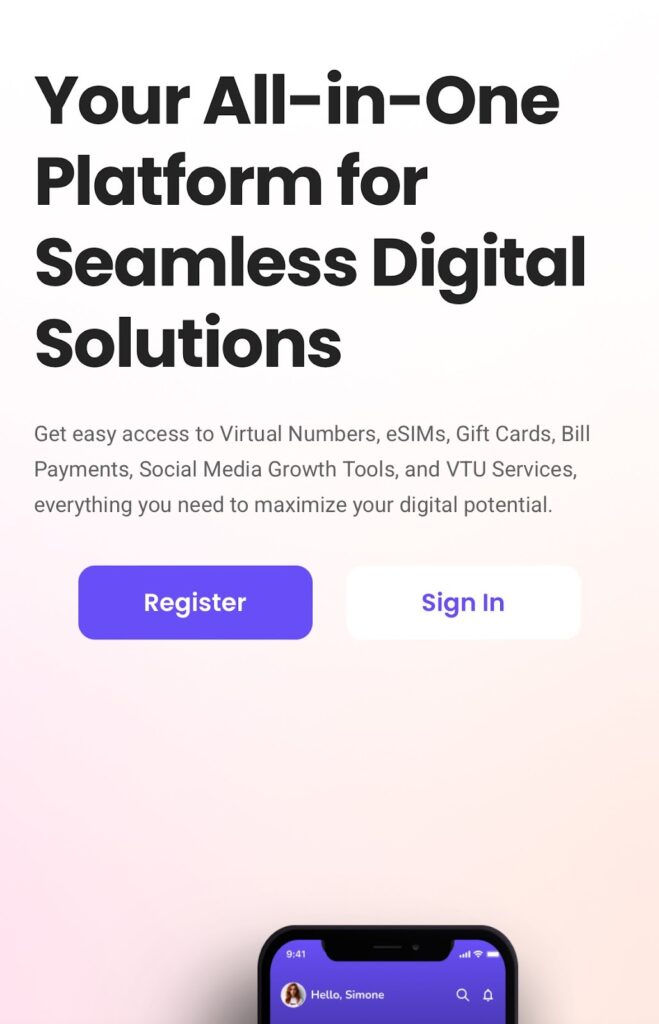
Step 3: Select “Virtual Number”
On your Nexar dashboard, choose the Virtual Number option. You’ll see a list of available countries and platforms.
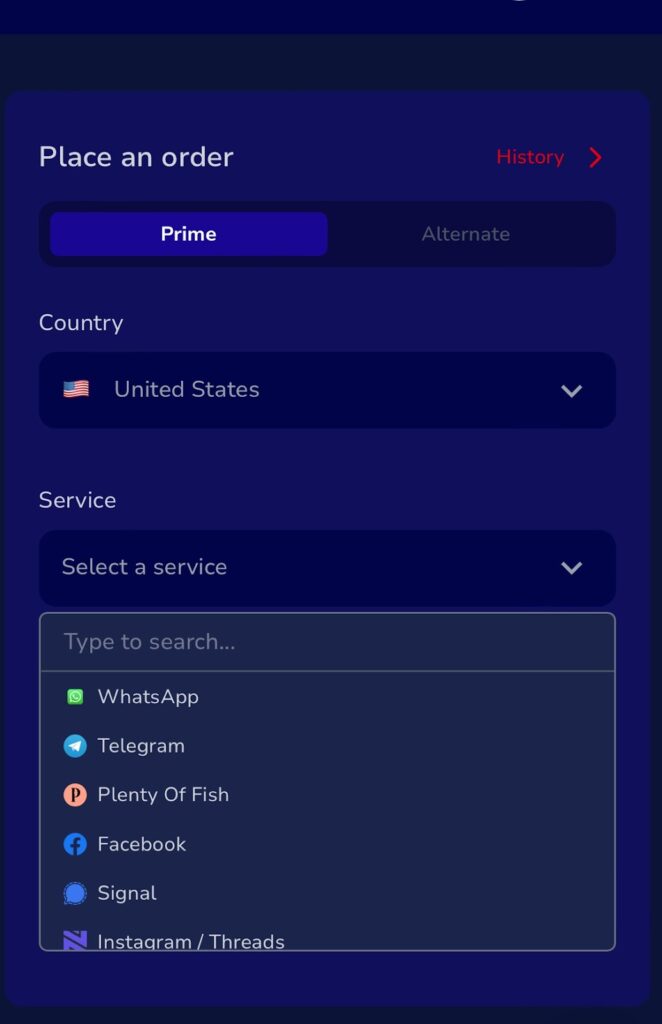
Step 4: Pick “YouTube Verification”
Choose the dedicated Virtual Number for YouTube Account Creation option to ensure compatibility with Google verification.
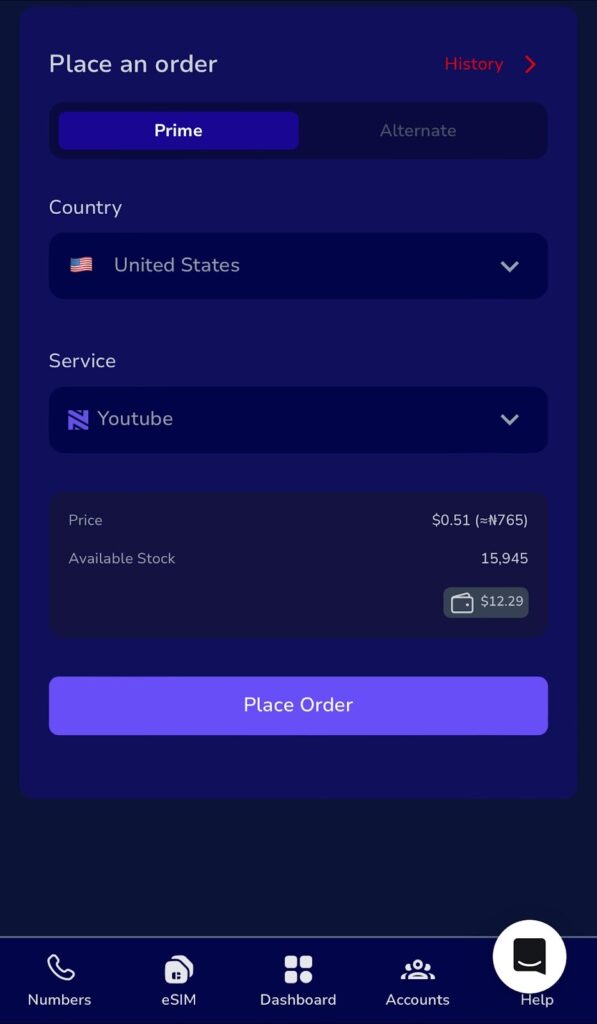
Step 5: Make Your Payment
Pay using your local bank card, crypto, or Nexar Wallet. You’ll get instant activation once your payment is confirmed.
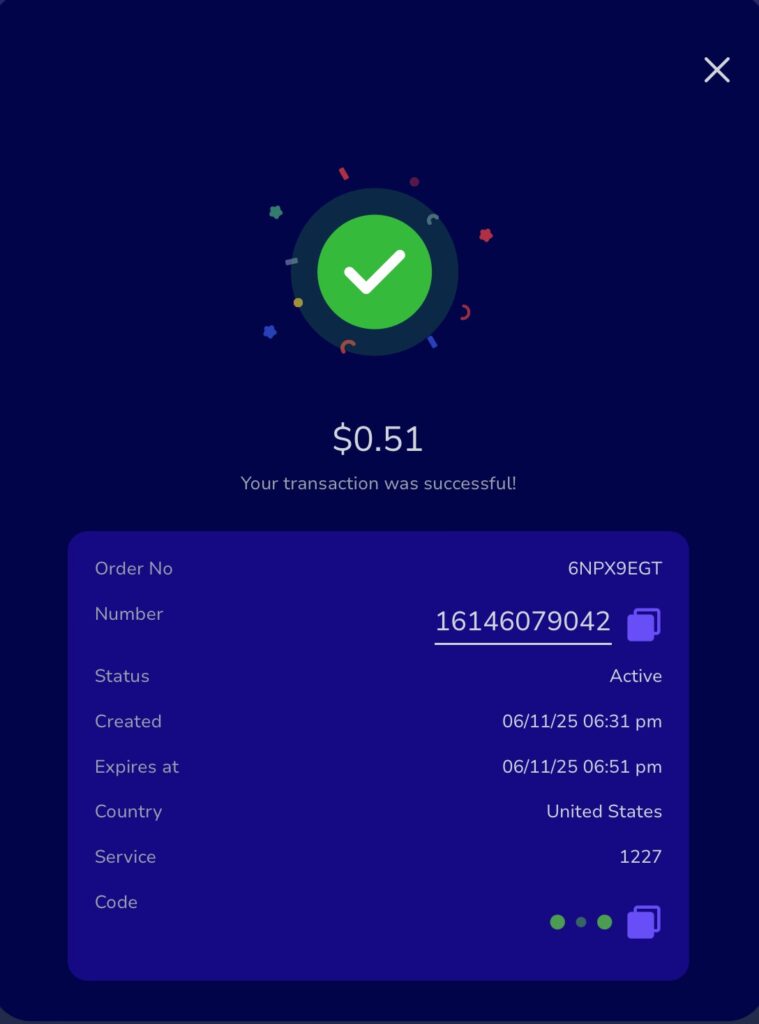
Step 6: Enter the Virtual Number on YouTube
When YouTube asks for verification, type in your Nexar number. Within seconds, your Google verification code will appear inside your Nexar inbox.
Step 7: Enter the Code and Verify
Copy the code, paste it into YouTube, and you’re all set. Your channel is verified, and you don’t need a physical SIM to do it.
Common Mistakes to Avoid When Using a Virtual Number for YouTube
Here are a few things to keep in mind so you don’t run into issues:
- Don’t reuse one virtual number for multiple YouTube accounts, get a new one for each.
- Always check your Nexar inbox for codes immediately after requesting them.
- Avoid free public numbers; they’re usually unsafe or blocked by Google.
- Keep your internet connection stable while verifying.
FAQs About Virtual Number for YouTube Account Creation
Q1: Can I use one virtual number for multiple YouTube accounts?
No, each Virtual Number for YouTube Account Creation should be used for one channel to avoid Google flagging it.
Q2: Is it safe to use Nexar’s virtual number for YouTube?
Absolutely. Nexar’s numbers are verified and secure. You’ll receive your codes safely without exposing your personal number.
Q3: Can I reuse my YouTube virtual number later?
If it’s still active, yes! You can access your old messages or use the same number for future logins.
Q4: What else can I use my virtual number for?
You can use it for Gmail, WhatsApp Business, TikTok, or other platforms that require phone verification. It’s not limited to YouTube.
Q5: How much does it cost to get one?
Nexar offers affordable Virtual Numbers for YouTube Account Creation that suit African users. Prices depend on the country and validity period, but they’re cheaper than buying new SIM cards.
Final Thoughts
If you’ve ever struggled to verify a YouTube account due to poor network, SIM limits, or failed messages, it’s time to make the switch. A Virtual Number for YouTube Account Creation from Nexar gives you speed, privacy, and flexibility.
Whether you’re a freelancer, influencer, or business owner, Nexar lets you verify and manage your channels with ease.
Visit the Nexar website today and get your Virtual Number for YouTube Account Creation in minutes!