
Understanding your transaction history
Where to find every credit and debit, and what each label means.
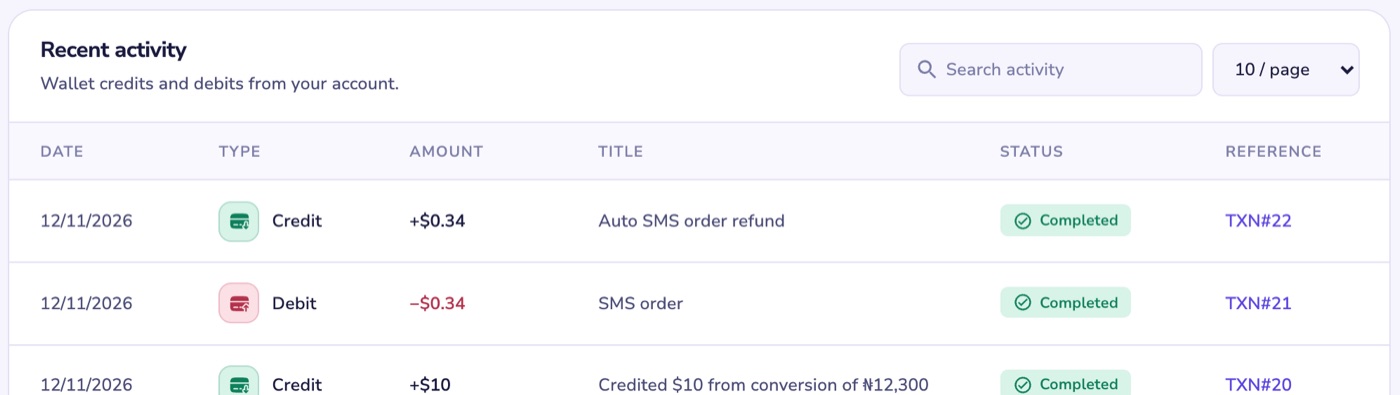
Every credit and debit on your account is in your transaction history.
Where to find it
- Web: Dashboard, under Recent activity. You can search it.
- App: on the home screen, open All Transactions, then tap a row to see its details and Transaction ID.
What the labels mean
- Payment Through Nomba or Wallet Funding via Bank Transfer: money you added by card or bank transfer.
- Funded through wallet: a crypto deposit.
- Debited … for conversion and Credited … from conversion: the two sides of a Convert.
- Auto SMS order refund or SMS order refund: a virtual number order that was refunded.
- Rental refund: a rental number that was refunded, always to your dollar wallet.
- Giftcard refund and Refund: …: a gift card or bill payment that was refunded.
- Referrer bonus from …: a reward when someone you referred funds their wallet.
- Bounty reward or Bounty bonus: a payout from a bounty you completed.
Still don't recognise one?
Note its Transaction ID or reference, then open Help, choose My wallet or transaction and I don't recognise a transaction. If you think someone else has used your account, change your password and turn on two-factor sign-in first.